
You’re pumping out content like a machine, but your follower count barely budges. Frustrating, right?
Organic Instagram growth has hit a wall in 2026. The good news? Meta now lets you run ads directly to your Instagram profile—not just to posts or websites.
When done right, these ads bring in actual humans who engage with your content—not just numbers that look pretty but do nothing for your business.
Prefer to watch instead of read? Here’s a quick breakdown from Elena on how this works in action:
Why Organic Instagram Growth Is Getting Harder
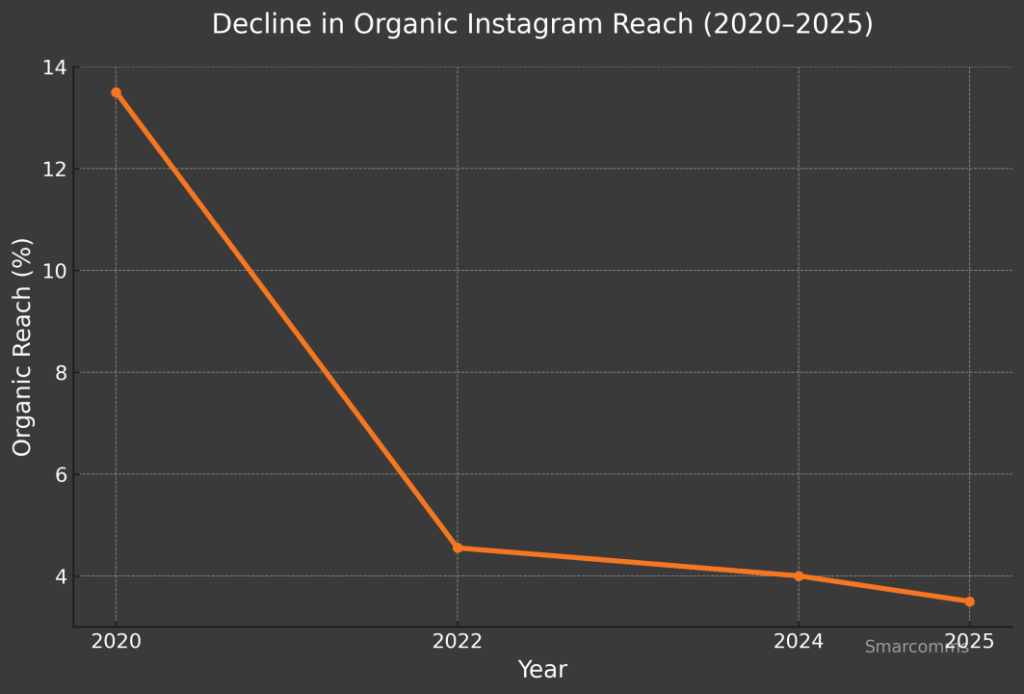
Remember when posting consistently was enough to grow on Instagram? Those days are gone. Meta’s algorithm has become increasingly selective about what it shows and to whom.
In 2026, even quality content struggles to reach new eyes. Three major factors have changed the game completely:
-
Algorithm priorities shifted – Reels and paid content get the spotlight while traditional posts gather dust, buried under an avalanche of promoted content that Meta finds more profitable to display.
-
Content competition exploded – With 2+ billion active users, your carefully crafted posts compete with literally millions of others every second. It’s a content traffic jam where most posts never even make it to the feed.
-
Follower behavior changed – People have become pickier about hitting that follow button, demanding clear value upfront. The days of casual follows are over. Now it’s “what will you do for me?” before anyone subscribes to your content.
Here’s the truth many marketers miss: follower count means nothing if they don’t engage or buy. A smaller, engaged audience beats thousands of ghosts every time.
What Makes Instagram Profile Ads Different
Most businesses are still stuck in 2023, boosting posts and hoping for the best. Meanwhile, savvy marketers are using Meta’s updated Traffic campaign with a crucial twist: they send people directly to their profiles instead of individual posts or external websites.
Think of it as inviting people to your digital storefront rather than just showing them a single product. When someone visits your profile, they see your entire brand story—not just an isolated piece of content.
Why They Work Better Than Boosted Posts
-
Surgical targeting – Find exactly who needs your content based on specific interests and behaviors, not just demographics.
-
Visitor tracking – Measure who actually visits your profile—not just who double-taps and disappears.
-
Budget efficiency – Skip platform fees and direct more dollars toward actual visibility.
-
Format flexibility – Test videos, images, carousels—discover what works for your unique audience.
I watched a client switch from boosted posts to profile ads and their cost-per-follower dropped from $2.17 to just $0.38 in a week—with better post-engagement too.
The Value-First Formula
Your Instagram profile is a micro landing page. Visitors make a split-second decision about whether to follow you. When they immediately see content that’s relevant and valuable, follow rates spike.
I’ve seen accounts grow by 500+ engaged followers monthly using this method. These aren’t passive ghosts—they like, comment, and eventually buy.
Step-by-Step Campaign Setup for Maximum Results
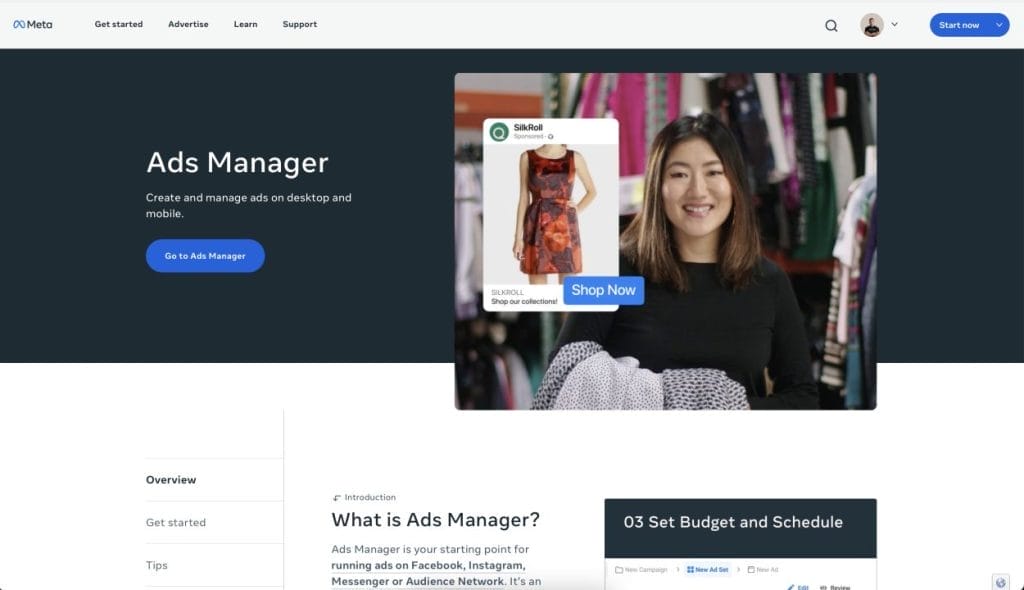
1. Get Started in Meta Ads Manager
-
Log into Meta Ads Manager (not the in-app “Boost” button)
-
Click “Create”
-
Name your campaign something trackable: IG Profile Growth – April 2025
Don’t skip naming. When you’re running multiple campaigns, “Ad 3” becomes a nightmare.
2. Set the Right Campaign Parameters

-
Objective: Traffic
-
Budget: Start with $5–10/day
-
Destination: Instagram Profile
-
Run Time: At least 5 days
The traffic objective + profile destination creates a clear path to your follow button. Choose wrong, and no one gets there.
Step 3: Set the Right Campaign Parameters (Without Burning Budget)

Now that your objective’s set, it’s time to give your campaign a solid foundation. This is where people often get lazy and Meta eats their lunch.
Here’s how to set it up properly inside Meta Ads Manager:
-
Objective:
Traffic -
Budget: Start with $5–10/day
-
Destination: Your Instagram Profile (not website or post)
-
Run Time: At least 5–7 days (not 24 hours!)
Meta needs a few days to properly optimize. Don’t judge results off day one. That’s like leaving a restaurant because the breadsticks were late.
Why this matters: when you select Traffic → Instagram Profile, you’re telling Meta to send people directly to your profile. That’s where the magic happens—the follow button, your content, your bio—your entire brand at a glance.
🎯 Choose the wrong objective (like engagement or conversions) and the people you’re paying for won’t even see your profile.
Step 4: Choose Instagram Profile as the Destination

Here’s where most people mess this up:
By default, Meta tries to send traffic to a website. But your goal here is followers, not website clicks.
Instead, change the destination type to:
-
Ad Destination→ Instagram Profile
This option is still in beta for some accounts, so if you don’t see it yet — it’s rolling out across all ad accounts in 2026.
Why it matters:
When you send someone to a website, they might click, skim, and leave.
When you send them to your profile, they see:
-
Your pinned posts
-
Your reels
-
Your bio
-
Your vibe
And most importantly… they see that Follow button.
💡 One of our clients got 3x more followers using this destination setting vs. sending traffic to their website homepage.
If you’re trying to grow on Instagram, your profile is the best funnel.
Step 5: Audience Targeting

This part isn’t about reaching everyone—it’s about reaching the right people who are actually likely to follow you.
You don’t want just anyone clicking your ad. You want real humans who care about what you post, and who might one day buy from you. Here’s how to set that up:
✅ Use Interest Targeting to Find Relevant Users
Inside your ad set, scroll to the Audience section and set:
-
Location — Choose where your ideal followers live
-
Age and gender — Match your typical customer or content consumer
-
Detailed targeting — Add interests closely related to your niche (not generic ones like “Instagram” or “Entrepreneurship”)
🎯 Example: A creator targeting “women 25–40 in the US interested in gut health” saw a 65% lower cost-per-follow compared to a broad health interest.
Start small, then expand. Narrower is better at the beginning.
⚠️ Avoid Broad, Default Settings
Meta loves giving you defaults that spend fast and convert slow.
Avoid:
-
Broad interests like “Fitness,” “Business,” or “Social Media”
-
Age ranges that are too wide (e.g. 18–65+)
-
Countries that aren’t relevant to your business (unless you ship/sell globally)
A client reduced wasted spend by 42% just by removing low-converting countries from their audience list.
🧠 Test Custom and Lookalike Audiences
If you have an existing audience, use it:
-
Upload email lists or customer data as a Custom Audience
-
Use that to create Lookalike Audiences — people with similar traits to your best followers or customers
We’ve seen campaigns targeting Lookalikes of engaged followers convert 2–3x better than cold interest-based targeting.
Step 6: Placement Settings
Meta’s default is to blast your ad across every platform it owns—Facebook, Messenger, Audience Network, you name it.
For growing Instagram followers, that’s not helpful. It’s noise.
Instead, keep it focused:
-
✅ Instagram Feed
-
✅ Instagram Stories
-
❌ Everything else
Why just these two? Because that’s where discovery happens. Stories and Feed are native, familiar, and where your ideal follower actually scrolls.
We’ve tested broad vs. IG-only campaigns. Instagram-only delivered 2–4x more profile visits for the same budget.
Keep it tight. Keep it relevant.
Creating High-Converting Ads

🎥 Short-Form Videos (Reels)
-
6–15 seconds max
-
Strong hooks in the first 2 seconds
-
Use bold text overlays
-
Trending audio works—but only if it fits your content
“Posting every day but getting no engagement? Follow to fix it.” That kind of hook stops the scroll.
📚 Effective Carousel Ads
Carousels work well for:
-
Educational content
-
Testimonials and proof
-
Sharing multiple value points or quick tips
Structure them like a story: pain → insight → tease more → CTA
One client’s “Myth vs Truth” carousel had a 3x better follow rate than single image ads.
✅ Strong CTAs
A weak “Follow me!” gets ignored.
A strong CTA speaks to what they’ll get by following:
-
“Follow for daily marketing tips that actually work”
-
“Follow for outfit ideas built for real bodies”
-
“Follow for 15-second recipes busy parents swear by”
Small tweak, big impact. Better CTAs cut cost-per-follow by 20–40%.
Optimizing Your Instagram Profile 
Once they click through, your profile has to seal the deal. It needs to say, “This account is worth your time.”
🧠 Bio Clarity
Skip the fluff. Your bio should answer:
What do you help with, and why should someone care?
“Helping coaches grow with Reels. 200+ client results. Real talk + memes.”
Straight to the point. That’s what converts.
📌 Strategic Pinned Posts
Use all 3 pins. Choose posts that:
-
Solve a common problem
-
Show proof or testimonials
-
Give a taste of your content style or story
It’s your profile’s front window—make it count.
🎨 Consistent Aesthetic
You don’t need to be a designer, but you do need:
-
Consistent colors
-
Consistent format
-
Content that matches the promise of your ad
If your ad is polished but your feed is a mess, people bounce.
🤝 Stay Active
-
Reply to comments
-
Show up in Stories
-
Keep posting consistently
People follow humans, not ghost towns.
Advanced Strategies for Better Results
Once your campaign is live and working, here’s how to level up:
-
A/B test different creatives, hooks, and CTAs
-
Scale with Lookalike Audiences based on your best followers or customers
-
Retarget video viewers who didn’t follow the first time
-
Keep refining targeting — test new interests, remove underperformers weekly
One of our clients went from $1.30/follow to $0.42 just by retesting their top 3 video hooks and narrowing the age range.
Common Mistakes to Avoid
Let’s keep you from lighting money on fire.
-
🎯 Targeting too broad or irrelevant interests
-
🎞️ Ad creatives that look like Canva templates from 2018
-
🔻 A profile that doesn’t match the promise of your ad
-
💸 Boosting posts and calling it a campaign (it’s not)
You’re not running ads to look busy. You’re doing it to get results. That means treating it like a system, not a guess.
Should You DIY or Hire Professionals?
If you’re just getting started, the steps above will give you a solid shot at running it yourself.
But here’s the honest truth:
-
If you don’t have time to test and optimize daily
-
If you’re unsure about your creative direction
-
If your past ad attempts flopped…
It might be smarter (and cheaper) to let pros handle it.
Let Smarcomms Run It For You
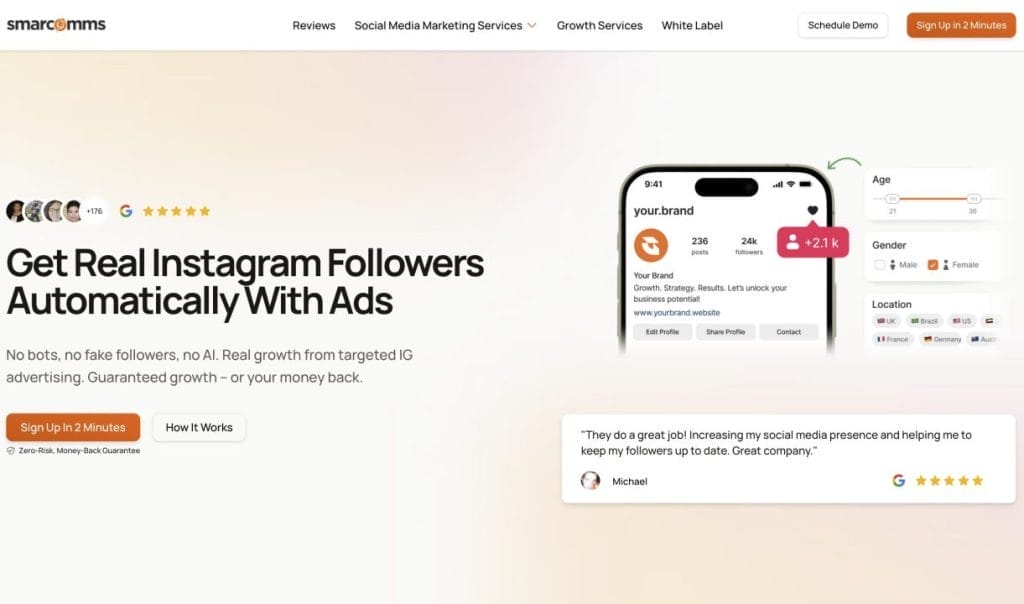
We’ve run 1,000s of these campaigns for businesses that don’t have time to figure it out themselves.
Here’s what we handle:
-
✅ Campaign setup
-
✅ Video + carousel ad creative
-
✅ Daily performance optimization
-
✅ Strategic content + pinned post direction
-
✅ Monthly reporting and insights
All from just $99/month. 2-minute signup. Money-back guarantee.


